GTA 6 Accessibility Features: Rockstar Lists Every Option
Rockstar has published an official list of Grand Theft Auto VI's accessibility features. It covers six groups of settings, including Auto Drive, simplified minigames, a high-contrast mode, menu narration and audio description for cutscenes.

Our verdict
Confirmed by Rockstar. Sourced directly from Rockstar Games or Take-Two Interactive.
Key facts
- 1Rockstar Games Customer Support published the list in an article last updated on 23 November 2026.
- 2Options are grouped into six categories: controller, gameplay, display, UI, camera and audio.
- 3All settings can be set at first launch and changed later in the Settings menu.
- 4Gameplay assists include Accessible Combat, Reduced Vehicle Damage, simplified minigames, Shooting Assist, Drive-By Assist and Auto Drive.
- 5Screen narration and audio description for cinematics are available in English only.
Rockstar has published a full rundown of the accessibility options in Grand Theft Auto VI. The new Rockstar Games Customer Support article, last updated on 23 November 2026, sorts the settings into six groups: controller, gameplay, display, UI, camera and audio.
According to Rockstar, every option can be set when you first start the game and changed again at any time from the Settings menu. Here is what the list includes.
Controller options
GTA 6 offers three control schemes: Default, Classic and Left-Handed. Players can adjust look and aim sensitivity and the deadzones on both sticks. Movement and camera controls can be inverted horizontally, vertically or both, and Rockstar says underwater swimming, vertical aircraft control and rotation of the 3D map can be inverted too.
Vibration and haptics strength is adjustable. On PS5, the DualSense adaptive triggers get their own vibration and resistance settings.
Gameplay assists
This is the biggest section, and it goes further than many players might expect from a GTA game.
Accessible combat and vehicles
An Accessible Combat setting adjusts enemy health and the damage enemies deal. A separate Reduced Vehicle Damage option changes how much punishment your car can take.
Simplified minigames and inputs
Minigames and interactions that need several buttons at once, such as working out and hotwiring a vehicle, can be simplified. Hold inputs for actions like aiming and nitrous can be switched to taps, multiple tap inputs can be switched to holds, and a multiplier can shorten hold times. Rockstar also lists separate input options for reeling in a fish and for activating Focus Mode.
Aim assist and Auto Drive
Lock-on types and Aim Assist strength are adjustable, and there are two extra helpers: Shooting Assist for targets close to the player and Drive-By Assist, which automatically targets threats while driving.
Auto Drive lets players drive automatically to a set destination through the cinematic camera in most situations. A slider from Restricted to Unrestricted controls how often it can be used.
Display and UI settings
Players can tone down screen effects linked to low health, getting hit and being near enemies or chased by police, plus motion blur during fast actions. Flashbangs can flash dark instead of bright. A high-contrast shader highlights the player, allies, threats and interactive objects while darkening the rest of the world, and a brightness reduction filter softens every scene.
On the UI side, Rockstar lists colorblind modes (which also change Focus Trails used for hunting), adjustable text size, minimap size and map icon size. Subtitles and closed captions can be resized, given a background and show speaker names. The GPS can display a turn indicator and announce turns by voice or audio tones. The reticle can change shape and size with an always-on center dot, throwables can show a projectile path, and most HUD elements can be shown or hidden individually.
Camera and audio
Camera follow speed can be tuned separately for situations such as on foot and in vehicles, and camera shake, bobbing and sway can be reduced.
Audio options include separate volume sliders for categories like SFX, UI and dialogue, a mono output toggle and a tinnitus reduction setting that cuts the ringing after a flashbang. Screen narration reads out most menus, with adjustable volume, speed and voice, and audio description covers the game's cinematic scenes. Rockstar notes that screen narration and audio description are only available in English.
Why it matters
GTA 6 is the biggest launch in entertainment history, and a lot of first-time players are now in Leonida. Options like Auto Drive, simplified minigames and audio description make the game easier to get into for players with disabilities and for anyone who simply wants a gentler experience. If you are still running into bugs rather than difficulty, check our rundown of the first GTA 6 patch notes.
Gear
GTA 6 related products




Prices as of 24 November 2026. Check Amazon for the current price.
As an Amazon Associate we earn from qualifying purchases.
Buying guide
Where to buy GTA 6 cheapest
Pick your edition and platform to see current G2A offers. G2A listings only, not a comparison of every store.

Questions
Does GTA 6 have accessibility options?+
Yes. Rockstar lists options across six groups: controller, gameplay, display, UI, camera and audio. They can be set at first launch and changed any time in the Settings menu.
What is Auto Drive in GTA 6?+
Auto Drive drives your vehicle automatically to a set destination through the cinematic camera in most situations. You can set it from Restricted to Unrestricted to allow it in more situations.
Does GTA 6 have audio description?+
Yes. Rockstar says audio description can be turned on for cinematic content across the game, with adjustable volume. It is only available in English.
Can you make GTA 6 combat easier?+
Yes. The Accessible Combat setting adjusts enemy health and the damage enemies deal, and there are adjustable Aim Assist, Shooting Assist and Drive-By Assist options.
Is there a left-handed control scheme in GTA 6?+
Yes. GTA 6 offers three control schemes: Default, Classic and Left-Handed.
Sources
About the author
Simon Simek
Editor
Simon Simek edits GTA 6 Track. He follows Rockstar's official channels and Take-Two's investor updates, and puts a Confirmed, Leak or Speculation label on every story and map pin he publishes. Spotted a mistake? Get in touch through the contact page.
More from Simon Simek
GTA 6 Patch Notes 01.002.002: Every Fix Rockstar Listed
Rockstar has now published the official patch notes for GTA 6's first post-launch update. The list is short, but it targets some of the most frustrating bugs from launch week, including phone calls that blocked story progress.
Neuralink Patient Plays GTA 6 Using Only His Mind
Neuralink has posted a video of one of its clinical trial participants playing GTA 6 with his brain implant. In the two-minute clip he drives, flies and gets into shootouts as Jason, without a controller.
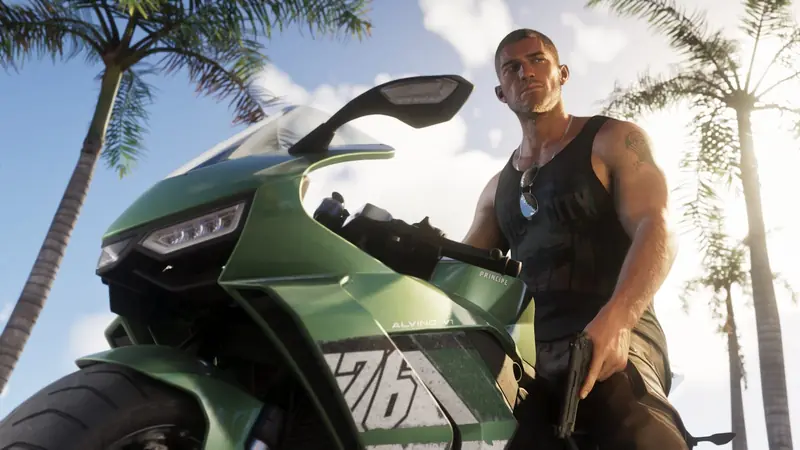
GTA 6 Moves Sprint to L3: How to Switch to Classic Controls
Grand Theft Auto VI no longer sprints on X or A by default. Running now sits on the left stick, but a Classic control scheme in the settings brings back the GTA 5 layout.
GTA 6 Leaked Xbox Build Boots on PC, Then a Fan Port Shuts Down
Leaker Cyberleek released the missing executable for the GTA 6 Xbox build it put online last week, and within hours modders had the game booting on PC. It is still not playable, and one of the main fan port projects has already shut down after its Discord server disappeared.